

Free email signature builder
Want an email signature as sharp as your “I definitely work here” outfit? Build one for free with our email signature generator. Add your details. Make it pretty. Copy. Paste. Done.
We love you. So please stop ending emails with your name in 11-point Arial.

Thanks so much for your time — looking forward to next steps!
Warm regards,
How to add it to your email
Why your email signature matters
An email signature is your digital business card, minus the sad paper stock and awkward networking event. A professional email signature builds trust, shares the important stuff, and makes every message feel more polished.
It also keeps your email branding consistent across every inbox, device, and “quick reply” you send at 4:57 p.m. Small detail. Big credibility boost.
How to create your email signature in three steps
1. Add your details. Enter your name, job title, company, contact info, website, and anything else people might actually need. Revolutionary, we know.
2. Make it look like you. Upload a photo or logo, add your social links, choose a layout, and tweak the colors and fonts. No design skills needed. Just reasonable judgment around Arial.
3. Copy or export it. Copy your finished signature, grab the HTML code, or download it. Then add it to your email platform and enjoy looking suspiciously professional.
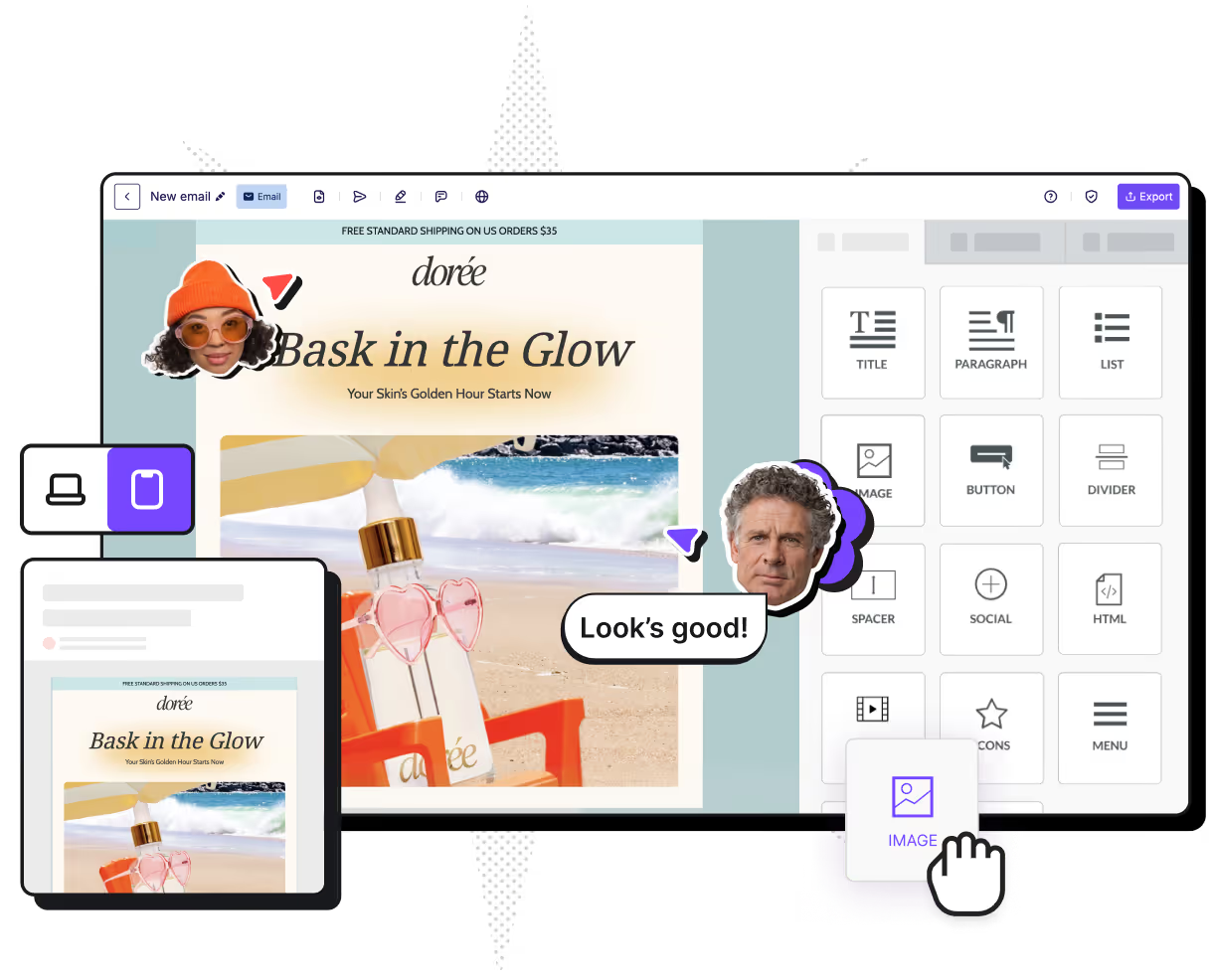
Now build the whole email in RGE Studio
If you love your new professional email signature, why not try and build an entire email? With RGE Studio, the experience is as easy and fun as this signature builder just showed you. And it's free!
Email signature maker FAQs
Is the email signature builder really free?
Yes! We don't mess around. This professional email signature builder tool is entirely yours and your team's to play with. Take your time to craft a perfect email signature design that goes with your brand, colors, and personality.
What should I include in my professional email signature?
Think of your email signature as a digital business card: it builds trust, keeps branding consistent, and turns every email into a professional touchpoint. It should include the elements that make you recognizable and (we dare say) memorable: your name, role, and headshot; the company name, contact details, logo, and social links; and an optional banner or CTA.
What you should leave out: inspirational quotes, too many links, and oversized images. Remember that your signature will also show up on mobile, therefore it needs to be appropriately sized versus the rest of your email.
Can I create matching email signatures for my whole team?
Of course you can. We wouldn't want you and your teammates to go around looking like you work for different companies, would we? Once you've identified the right design, elements, color palette and style for your professional email signature, you can replicate it for as many folks as you need using our email signature maker.
How can I make my emails look as good as my signature?
Glad you asked! If you liked this free email signature generator, the natural next step is to build your first email using RGE Studio. Create a free account, pick a template to start with, and use the drag-and-drop content blocks to create a stunning, mobile-ready, professional email for your business.
How can I add my signature to Gmail, Outlook, and Apple Mail?
Easy peasy lemon squeezy. You can either copy the professional email signature you created in this free signature generator, grab the HTML code, or download it. Then add it to your email platform in your preferred way.
In case you want to copy-paste it:
Gmail signature
Open Gmail, click the Settings gear icon in the top-right corner, and select See all settings. Navigate down to the Signature section and select "Create new". Now you can give a name to your professional signature, paste your brand new signature, and save your changes.
Outlook signature
Once in Outlook, look for Settings, then Accounts, then Signatures. Add your new email signature, and hit Save once you're done.
Apple Mail signature
Open Apple Mail on your Mac, go to Mail > Settings (or Preferences), and select Signatures. Choose the email account on the left, click the + button, and paste your signature. Since this is a custom signature, uncheck "Always match my default message font".
Remember: specific steps to add a signature may vary if your email tools change their UI. It's always better to refer to official documentation.
Who's behind this email signature generator?
The email signature maker is brought to you by the team behind Really Good Emails. We've been curating the world's largest email inspiration gallery for the last 10+ years, so we know what makes a really good email and what principles should inspire you. (Yes, we're also modest that way). Our inspiration gallery is used by over 300,000 email makers each month.