

Email Design Systems for Human Resource Teams
Explore email design systems for human resource teams. Streamline communication and collaboration in HR!

Human resource departments are an essential part of any growing business. Their number one goal is to ensure that employee engagement remains high. This helps HR teams foster strong company culture and ensure employee retention. Managers and HR departments are in constant communication and collaboration to ensure employee engagement efforts are successful — regular surveying of employees, in-person check-ins, and continuous communication of company-wide updates. These tasks are often time-consuming and repetitive and keep human resource professionals from working on more significant tasks. Because of that, these teams are reliant on smooth systems and tools that help them conduct these tasks faster and more efficiently.
Here enter email design systems
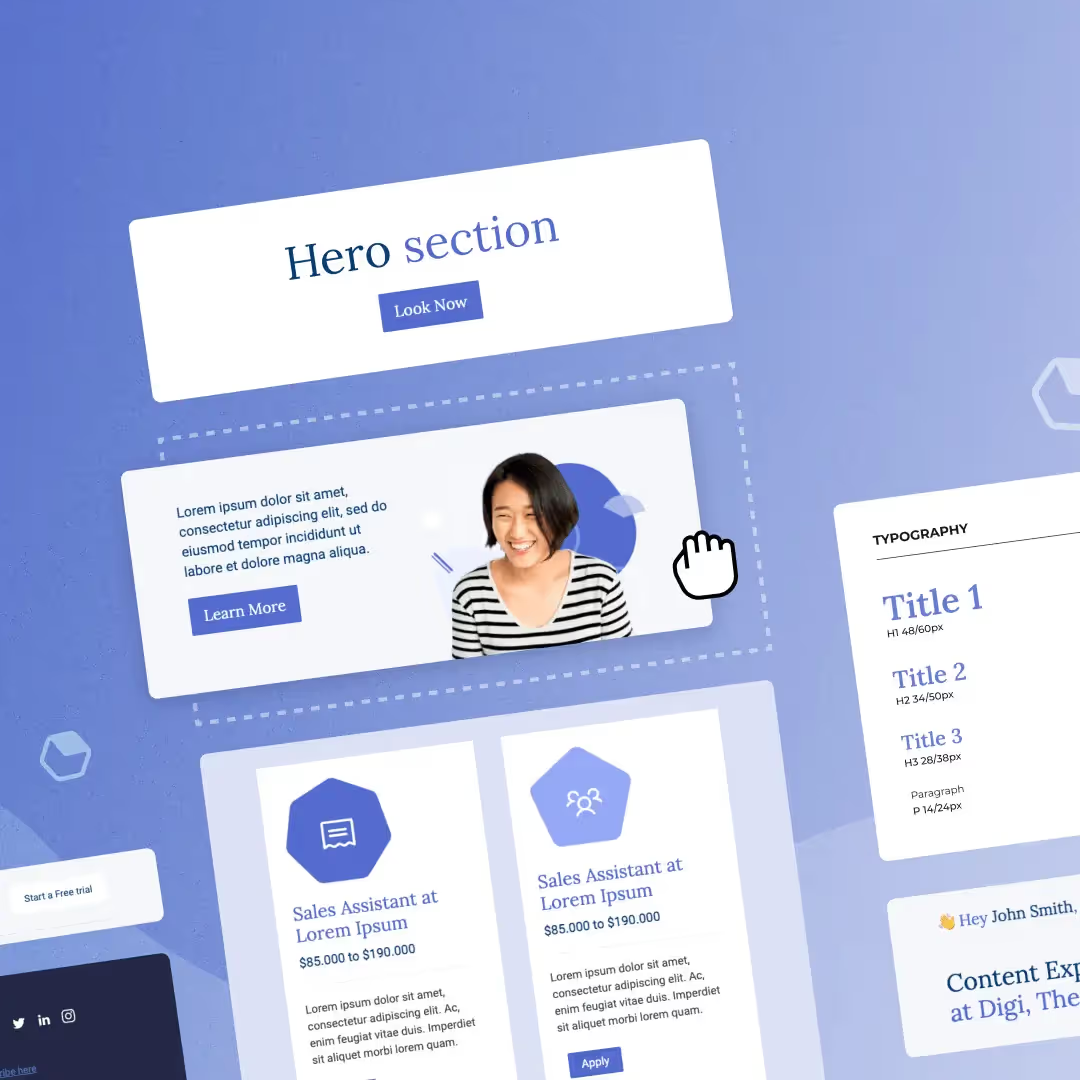
A design system is a set of guidelines and principles that outline the components and patterns that make up your brand. When it comes to creating email newsletters, email design systems ensure that communications across the organization remain on-brand. Human resources teams often face challenges when creating engaging email content: they believe they have to build designs from scratch every time, and they over-rely on designers to maintain the visual identity of outgoing emails. Design systems help tackle these challenges by providing guidelines and assets to quickly and easily create professional and on-brand newsletters and landing pages.
How to Use Email Design Systems in HR
In today's era of remote work, email has become the most effective way of communicating. According to a DMR report, the average office employee receives 121 emails per day. For this reason, each email sent out by a company needs to be on-brand and engaging — if not, they might be ignored or, worse, sent to spam. An effective email design system includes:
- Brand colors and brand guidelines: font size and usage, logo usage, icons, etc.
- Reusable content blocks: headers, footers, call to action buttons, social links. Reusable content blocks are an example of modular design.
- Email templates: templates for job opportunities, onboarding, offboarding, or employee satisfaction surveys.
While there are many other email design systems HR teams can implement, these are the three most essential. Not only do these systems help save time in the email creation process, but they empower HR teams to stop over-relying on designers.
Finding the right design tool to implement email design systems
Finding the right tool should enable teams to do their work efficiently and effectively. Many design tools take some time to learn, adding to an already busy HR schedule. They are also not user-friendly and can be complex for non-designers. When it comes to finding the right tool to implement email design systems, there are three things HR teams should look for.
Collaborative Features
HR teams often collaborate with designers and copywriters to ensure all outgoing communication is consistent and cohesive. A design tool that offers collaborative features helps cut down the time spent emailing back and forth, ensuring everyone is working together to achieve a common goal. Collaborative features include anything from co-editing and the ability to leave comments on the platform, to user roles and management control.
Time-Saving Features and Ease of Use
Most of the tasks done by HR teams are repetitive and time-consuming. The right design tool should help HR teams save time at every step of the process, as well as be intuitive enough for everyone to use regardless of skill level. A large customizable template catalog makes it easy to build job opportunity, onboarding, and company update emails quickly. Saved and synced content blocks allow HR teams to build design systems and reusable content blocks to reuse across emails and landing pages — changing the contents of a row in one template automatically syncs those changes across every area where that row appears, which is especially useful for headers, footers, social links, and menu bars that need to be updated regularly.
Ready to get started?
Sign up for a design tool that offers a recruitment and HR templates collection made with HR teams in mind — to quickly onboard new team members, share company-wide updates, and post job opportunities.
Articles to wet your whistle


.png)
Subscribe to our newsletter.
Dive into the world of unmatched copywriting mastery, handpicked articles, and insider tips & tricks that elevate your writing game. Subscribe now for your weekly dose of inspiration and expertise.