

How to Use Gmail for Email Marketing
Explore how to use Gmail for email marketing and tips and trips for leveraging Gmail's features for successful campaigns! Keep reading.

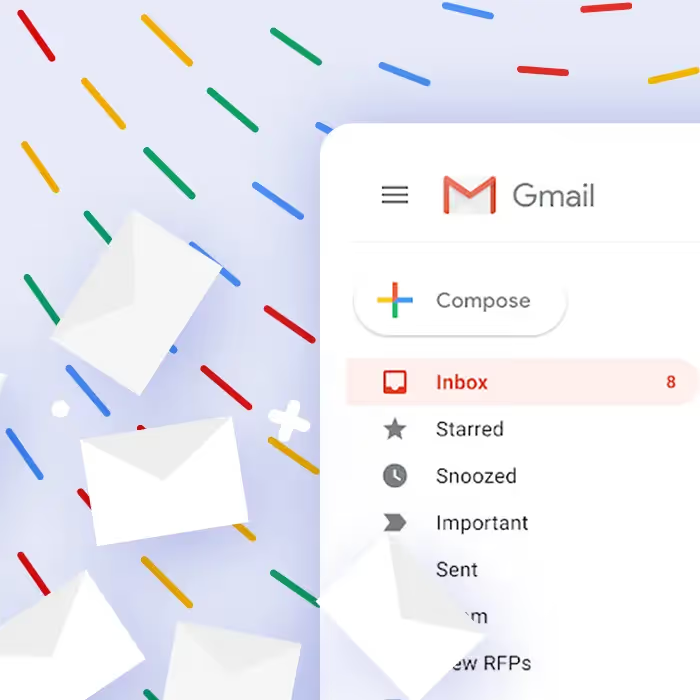
If you’re in search of a new ESP, Gmail might not be your first thought. The platform is meant primarily for individual email accounts, not marketing purposes. But since it’s completely free, Gmail is hugely helpful for small businesses that are ready to expand their email marketing.
As of 2023, Gmail has added numerous features that make it more suitable for email marketing, like multi-send mode as well as pre-set layouts, so it’s more capable of email marketing than ever before. Check out these tips for free email marketing with Gmail as your email service provider.
#1. Choose Gmail marketing tools
There are many free Gmail marketing tools that can help you run email marketing campaigns out of Gmail. We recommend tools such as Gumbamail, a free Chrome extension, to help transform Gmail into an email marketing tool that lets you schedule and send mailing campaigns to your subscribers without leaving Gmail.
Another helpful tool for your Gmail email marketing is Google Sheets. Like Gmail, Google Sheets is free. It’s essentially Google’s version of Microsoft Excel, and it’s a fantastic tool for creating and managing your mailing lists so you can do a mail merge when you’re ready to send a newsletter (more on that momentarily).
When you install Gumbamail and Beefree's templates for Gmail, you’ll be able to create beautifully designed mass email campaigns inside your Gmail account. (We’ll walk you through how towards the end of the article.)
#2. Creating your email list
There are many ways you can create an email list for Gmail campaigns. We recommend using either Google Contacts or Google Sheets.
Google Contacts is easy to access while you’re in Gmail. In Google Contacts, select the addresses you want to include and then add them to a new or existing label. When you’re through, send a Gmail message to each person with that label.
Alternatively, you can use Google Sheets to create a Gmail mail merge or use a free email marketing tool like Yet Another Mail Merge, which pulls addresses from a Google Sheet and then tracks your email campaigns.
How do you know which option is best for you?
It depends on your workflow and where your email contacts are coming in. When recipients are stored in Google Contacts, it makes sending easier: if each contact is labeled with the appropriate mailing list, you just type in the label name in the “To” field, and Gmail will send it to everyone with that label.The downside to Google Contacts is that you would generally need to add each contact manually.
If you have an existing list that is in If you have an existing list from your Cloud-based CRM that is in Excel or another spreadsheet program, or if you’ve exported a list from another email marketing platform for example, it’s easier to convert that list to a Google Sheets document than to add each contact to Google Contacts individually.
In other words, if you already have a large, established mailing list, a mail merge from Google Sheets is best. If you’re just starting your mailing list and are building it a little at a time, Google Contacts is the better choice.If you want to send your email campaign with Google, ensure that your list has less than 500 users on it.
Gmail has a built-in send limit that caps you at 500 emails in a 24-hour period (this applies whether you’re sending to 500 recipients in one email or 500 separate emails in one day).
Based on these email-sending limits, Gmail is best for companies that have a small email list. Gmail’s free email-sending capabilities are an excellent choice for small businesses that are just getting started.
#3. Comply with local and international email regulations
To protect consumers against spam and data theft, there are certain requirements email marketers must follow. These can vary depending on where your recipients are.For example, the US has the CAN-SPAM Act, while Canada has the Canadian Anti-Spam Legislation or CASL.
The European Union has the GDPR, or General Data Protection Regulation, which includes several guidelines that email marketers need to follow. For example, before sending someone a promotional email, you need to obtain their consent. Each of these laws is unique, but they contact requirements like:
- Receiving consent before sending emails to a new contact
- Telling recipients where you’re located
- Avoiding misleading headers and subject lines
- Provide an opt-out link for recipients who want to stop receiving your emails.
While some ESPs have built-in features to help you comply with these regulations, Gmail doesn’t. That means with a Gmail mass email. You’ll need to double-check that everyone on your email list has opted in and hasn’t unsubscribed, that you have included an opt-out link, and so on. This will take some time and work, but it’s an essential task to complete.
#4. Use a business domain name
If you send a mass email from your personal email address — one that ends with @gmail.com — there’s a greater chance that the message will be flagged as spam and never reach its recipient. Platforms like Gmail are truly meant for personal use, not marketing. So make sure your sender address incorporates a domain name.
This looks more official and boosts the chances that the message will land in your recipient’s inbox. Why is this the case?
When a recipient’s email program is trying to decide whether an email is spam, one of its tools is to check the domain name of the email address. If there have been numerous spam emails sent from a particular domain name, the email program will block other emails with that domain name as spam too. When you send from your own custom domain, you know for a fact that no one else with that domain is sending out spam.
#5. Consider segmentation and A/B testing
In email marketing, segmentation refers to separating your mailing list into different groups based on established characteristics or purposes. For example, you might segment your list into different age groups, locations, genders, and so on. This can allow you to send more relevant emails because you can tailor emails to a particular group.
Another email marketing practice you can use by breaking up contacts into groups is A/B testing. In A/B testing, you have multiple versions of an email, and you send them to randomly selected contacts so you can compare which version received more opens, more clicks, or more conversions.
Both segmentation and A/B testing are highly beneficial for email marketing, and you can do them in Gmail, but keep in mind that it isn’t as easy as it is with dedicated email marketing platforms. If you’re using Google Contacts, you can segment by giving appropriate labels to each contact. Or, if you’re using Google Sheets for a mail merge, you can have different sheets for different segments
#6. Track campaign performance
Perhaps the largest limitation or challenge to using Gmail for email marketing is the lack of out-of-the-box data tracking.
Traditional email service providers for email marketing will automatically track data like open rates, click rates, and so on. Gmail does not, although there are ways to gather data.
One option is to use read receipts. If you have a paid Google Workspace account, you can turn on read receipts so you’ll know how many recipients open your emails. Recipients can open the email and decline to send you a read receipt, though, so this data is only partially reliable.
You can also use Google Analytics to set up some data tracking features. For example, you can use Google Analytics to generate tracking links that don’t just take readers to the page they’re clicking on but also collect the click data.
#7. Use Beefree's gmail templates
Gmail has another big downfall as an ESP: its design capabilities are minimal. While Gmail does now have some layout templates, they are highly limited. Add-ons or extensions are the key ways to create beautiful HTML emails with Gmail. Luckily, with Beefree's templates for Gmail you can send professionally designed emails directly to your Gmail account, and it’s completely free.
To set up the add-on with your Gmail account, install Beefree Templates for Gmail in Google Workspace Marketplace.

After the installation process is complete, you’ll see the Beefree icon in the right-hand sidebar of your inbox. You can then open any email in your inbox and then click the Beefree icon to select a template.
Once you’ve added your images and text, send the message to your email list.
If you have a Beefree account, you can also connect integrate it with Gmail.
Editor’s Note: This post was updated on September 2024 to ensure accuracy and comprehensiveness.
Articles to wet your whistle

.jpg)

Subscribe to our newsletter.
Dive into the world of unmatched copywriting mastery, handpicked articles, and insider tips & tricks that elevate your writing game. Subscribe now for your weekly dose of inspiration and expertise.