

9 RGE Studio features our own team can't work without
A recap of our July Email Support Group, where the Really Good Emails team shared the RGE Studio features they personally reach for every day.

.png)
Everyone's got a favorite shortcut. The block they duplicate every time. The setting that saves them a re-send. The one thing they show every new hire on day one. This month's Email Support Group was Kelsey Yen and I pulling back the curtain on our own favorites
Here's the recap: our own most-used (and most slept-on) RGE Studio features, real examples of how we build with them, not just what they do, and the workflow tips worth stealing for your own team (though we did record the whole thing too, in case you'd rather watch).
Saved rows for faster builds

Alessandra Rocco, Graphic Designer & Video Editor, picked saved rows, a way to turn a component you'd otherwise rebuild every time into something you drag and drop. Inside your workspace library, you can save any row (a webinar reminder section, a product block, whatever you reuse) and organize them into categories you name yourself. Build it once, save it, then drag it into your next email and just swap the copy.
It's not just a time-saver for the person who built it, either; a library of brand-approved rows means anyone on the team can drag one in without making a single decision about colors, fonts, or padding.
Synced rows for content that changes everywhere at once
Synced rows take saved rows a step further. If a row's content needs regular updates (a footer, a set of social links), editing the synced version updates every email that uses it at once. When the Really Good Emails logo font got tweaked recently, the team edited one synced row instead of updating every single email by hand.
Kelsey Yen, Lifecycle Marketing Manager, has her own use case too, saving strings of merge tag syntax as rows, so she's not copy-pasting dynamic content code from a Word doc every time she needs it.
Advanced Style Kit and hover effects
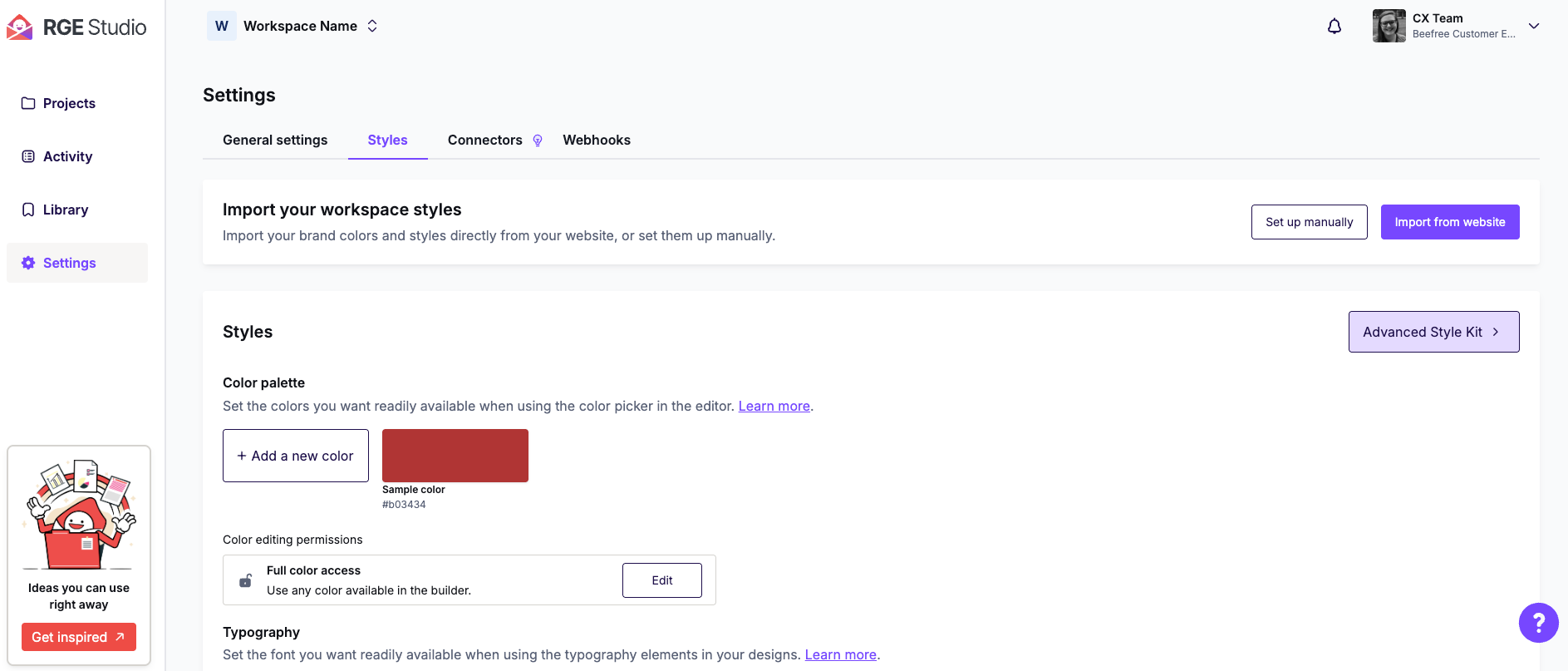
Luana Liguori, Graphic Designer and Design Team Coordinator, showed off the Advanced Style Kit, which lets you set styling rules (headlines, buttons, lists, icons, social menus) once, in your workspace settings, instead of restyling every email you build.
Her trick for hover effects makes a button look like it's actually being pressed, and it's worth stealing. Match the background color between the button and its hover state, then invert the border weighting (say, 1px top and left with 3px bottom and right normally, flipped to 3px top and left with 1px bottom and right on hover).
Smart Check for QA and accessibility

Samantha Troilo, Marketing Lead on the SDK side, used to pick Mobile Design Mode, but these days it's Smart Check, which flags missing links, color contrast issues, missing alt text, small font sizes, and HTML or image optimization problems, and takes you straight to the fix when you click a warning.
Samantha also highlighted the option to generate alt text in bulk using AI, rather than writing it by hand for every image. Kelsey uses Smart Check in another way. Since she often duplicates old emails to build new ones, a link from a previous send can end up buried somewhere unexpected (a mobile-only icon, a hidden section). Smart Check surfaces a complete list of links in the email, so nothing slips through.
Import link for consolidating accounts
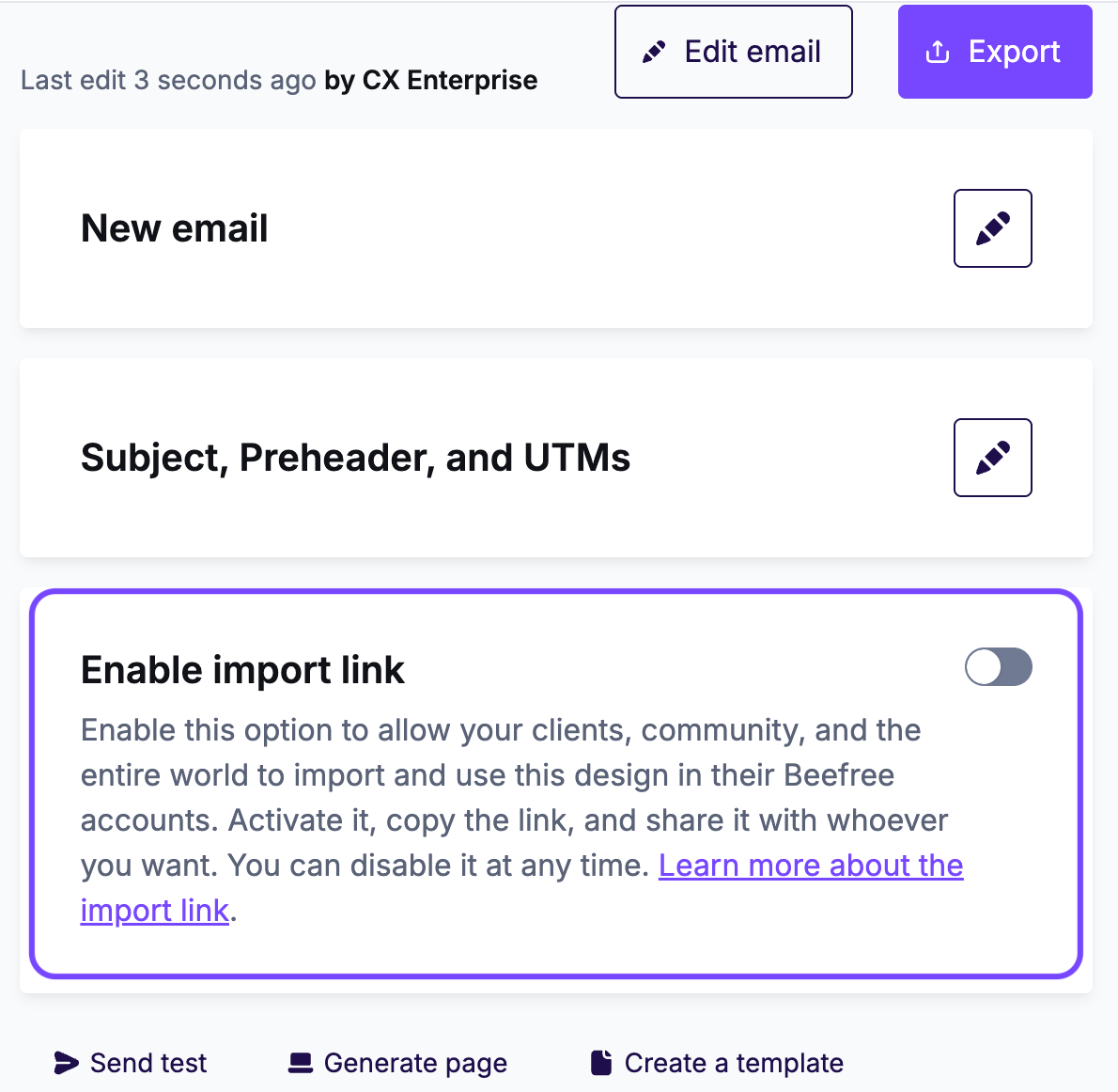
Willow Elliott, RGE Studio's Customer Experience Manager, relies on import link — a feature that comes up constantly on the support side. Uploaded images are tied to the account they were uploaded to, so moving a design between accounts (say, when an organization realizes multiple teams are all using RGE Studio separately and wants to consolidate) can lead to broken or missing images if the original account is later canceled. Toggling on the import link for any email or page avoids that, letting you share a link so whoever imports it gets a full copy with all images re-uploaded to the new account.
Preview link for sharing and reporting
Kelsey's own link-related pick—the one she says she gets asked about the most—is the preview link. It's the easiest way to answer "what are we actually sending?" for stakeholders outside the email team, without a screenshot or a forwarded (and re-rendered) proof.
She also uses it for reporting, attaching the preview link to her performance spreadsheets so she can click straight back to what an email looked like months later, instead of guessing from a filename.
Copy with AI for recurring emails
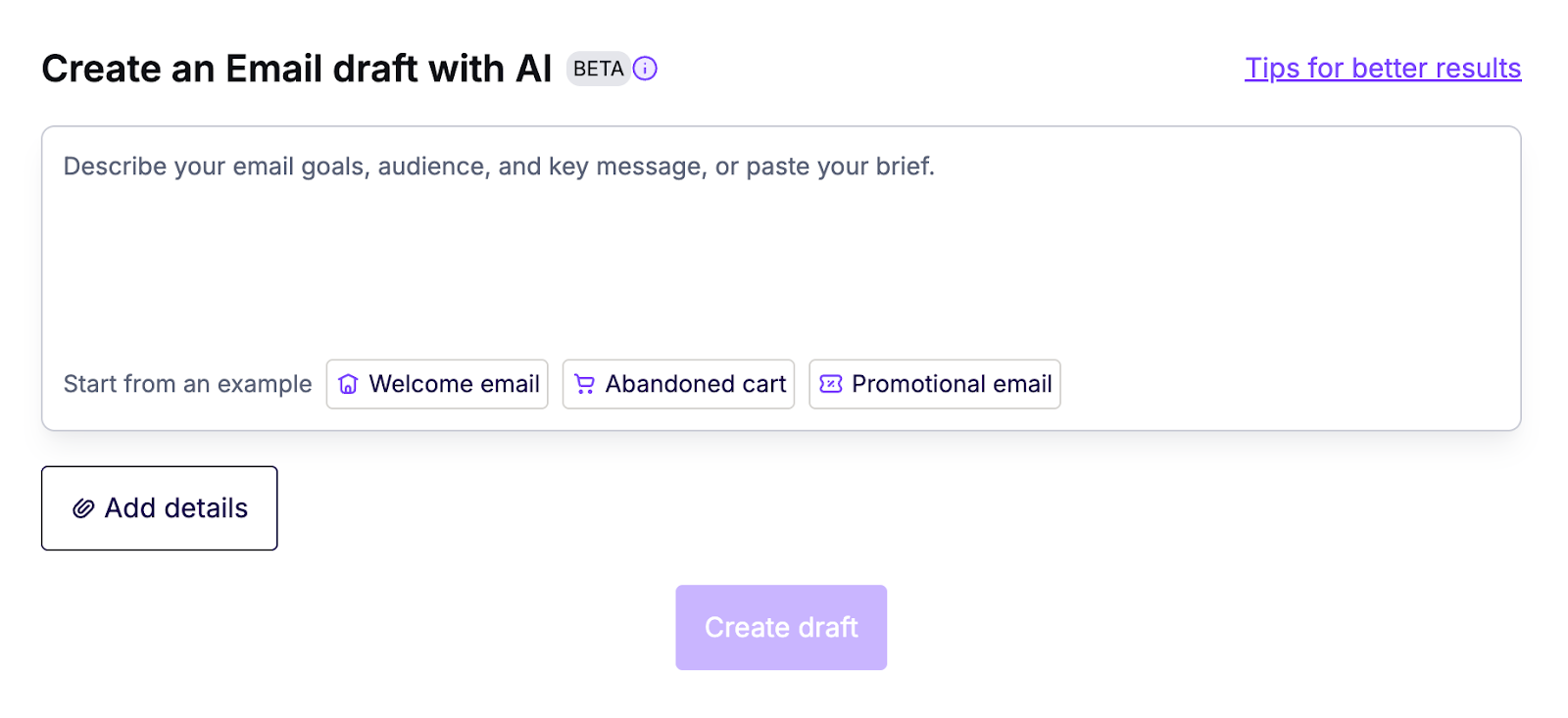
Jack Patterson, from the RGE Studio Customer Success team, works with a lot of clients sending the same kind of email on repeat (a monthly webinar roundup, a recurring class schedule). For them, Copy with AI means reusing the same prompt structure each time, swapping in the new dates, speakers, and details for each send, instead of duplicating the old email and manually updating everything by hand. The AI Co-Pilot handles the update inside the builder, and you clean up anything it didn't quite get right (a speaker photo, a title tweak) before sending.
How the team thinks about AI
How the team thinks about AI is worth pulling out on its own, since some people are excited about it, some are fatigued by it, and honestly, we think of it as just part of the landscape we're all navigating right now. Similar to Outlook, in some ways—it’s both ubiquitous and complex. The goal is to give people the tools and the judgment to use it where it helps and skip it where it doesn't.
In practice, that means treating AI as a slightly overeager intern. It gets you partway there, and then a human takes over to make sure everything is correct and actually sounds like you. It's not a replacement for judgment; it's a way to skip starting from a blank page.
Approval workflow for reviews and sign-offs
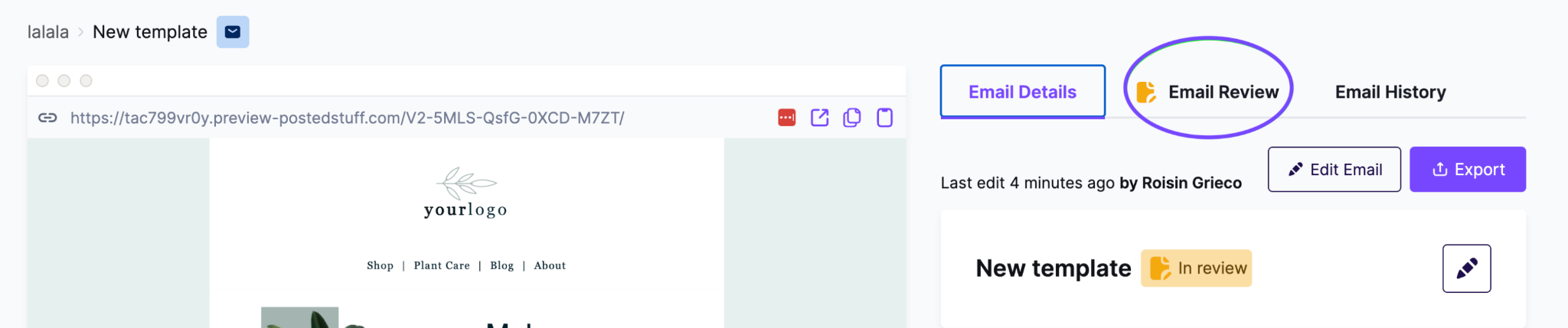
There's a full review and approval flow built right into RGE Studio, so test sends and sign-offs don't have to happen outside the tool.
Mobile Design Mode for responsive emails

You can adjust an email's mobile version (font size, alignment, spacing, even hiding or showing entire sections) without touching how it looks on desktop. It's genuinely useful for anything that could get cramped or reflow awkwardly on a smaller screen, and it pairs well with Smart Check, which will flag if all those mobile-only tweaks are pushing your HTML weight toward Gmail's clipping limit.
What we dug into in Q&A
Outlook rendering issues
This came up a lot, unsurprisingly, starting with an RSVP button one attendee described as tested, shipped, and working everywhere, except for the one important guest whose Outlook hadn't been updated since Windows 95, for whom it just quietly disappeared. Another attendee summed up the feeling perfectly, saying Outlook makes them feel like they're playing Oregon Trail. Fair, though Oregon Trail was arguably more fun, dysentery included.
Outlook still runs largely on the Microsoft Word rendering engine, which is why border radius gets squared off, and background images may not display without Outlook-specific VML support, and animated GIFs only show their first frame. If you want the full technical breakdown, we've since published a deep dive on classic vs. new Outlook rendering, and the Help Center has the specifics on what RGE Studio handles automatically.
Beefree SDK feature parity
One attendee asked if a given feature would also be available on white-label platforms like Braze. Short answer: RGE Studio's builder also exists as Beefree SDK, a white-label version that lives inside a number of ESPs, and we aim for broad feature parity between the two. Whether a specific feature shows up depends on whether that ESP has implemented it yet, so if you're missing something you've seen in RGE Studio, it's worth requesting it from your ESP.
Salesforce Marketing Cloud and Pardot

Someone asked if we have a course covering Salesforce Marketing Cloud or Account Engagement (Pardot). We don't have a dedicated academy course yet, but we covered both platforms in detail with two practitioners in an Email Support Group back in April. If you use either one, our full breakdown of how RGE Studio works with Salesforce, Pardot, and Marketing Cloud is a solid place to start in the meantime.
What's next
Next month, we're back with our annual Design Trends webinar, covering what we're seeing this year and how to apply the principles behind those trends to your own brand instead of copying them wholesale.
If any of this sounds like it'd help your workflow and you'd like a guided walkthrough, reach out to our team. And if you want to keep leveling up in the meantime, RGE Academy has free courses for every skill level.
Articles to wet your whistle


.jpg)
Subscribe to our newsletter.
Dive into the world of unmatched copywriting mastery, handpicked articles, and insider tips & tricks that elevate your writing game. Subscribe now for your weekly dose of inspiration and expertise.