

Tutorial: Create a Simple, Beautiful Typographic Email Design
Learn how to create a simple, beautiful typographic email design to elevate your email aesthetic!

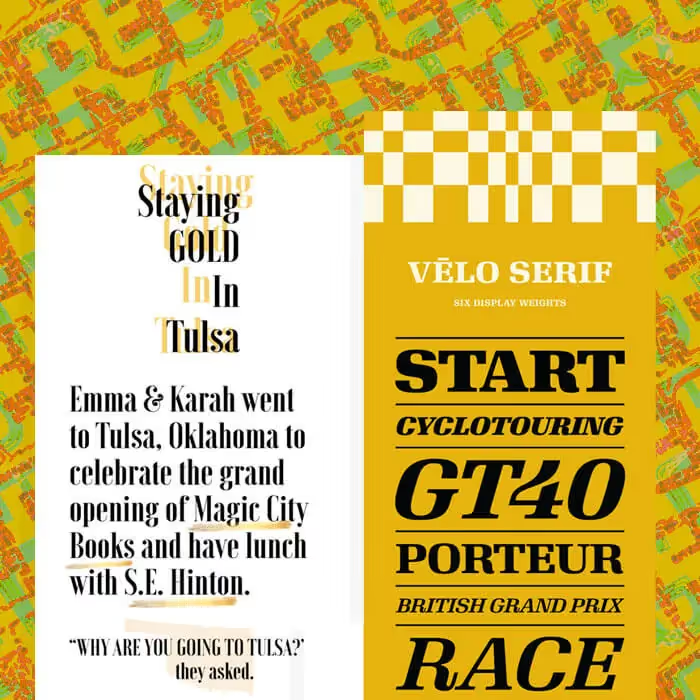
Ever spot a simple, stunning photo-less email in your inbox? For many brands, especially those that focus heavily on product images or illustrations, a no-image email is a nice change of pace. Readers can tell right away it's different, and that novelty can catch eyes and earn clicks. So if you don't have any photos or art in your email, what is in it? Text, of course! We're talking beautiful, typographic email design, with live text. Give your plain text a little formatting love, and your email will stand out from the rest. It's easy!
Inspiration: Beautiful, font-forward emails
Some of the best typographic emails rely almost entirely on creative copy and text formatting to shine, sticking with a single, large typeface, whether serif or sans serif.
Today's tutorial: build a beautiful typographic email
To create an eye-catching, text-based email, here's our secret: all you need is live text and HTML background colors. No Photoshop, no design assets, no images. Just great copy, styled smartly. Let's get started with a single-column blank template.
#1: Narrow your width
Since we're building an email comprised only of text, narrowing the width of the message body is an important step to making it easier to read, similar to the way narrow newspaper columns make content more legible. A narrow width also helps the text stretch from edge to edge in the body of the email. Navigate to the settings menu and drag the content area width down to 500px (or as low as 480px).
#2: Choose a great serif or sans serif, or both!
Most typographic emails stick with a single, large typeface: some use sans serifs, others use serifs.
Quick font refresher: Email safe fonts (also called "live text" or web safe fonts) like Arial, Helvetica, Georgia, Times New Roman, and Courier render on any computer or device, which is why they're a design best practice. Web fonts, designed specifically for the web, are somewhat less reliable than live text options but are still found on many devices; these include fonts like Open Sans, Roboto, and Lato, many of which are Google Fonts. Custom fonts, typefaces modified or designed specifically for a brand, are more often than not simply added as an image in email.
You can customize the fonts you have access to in most modern email editors, adding additional web fonts and even custom ones, as long as you have fall-backs.
#3: Go BIG
One thing all great font-forward emails have in common? The text is large. That's an intentional design move. Simply use your drop-down menu to choose an ultra-big size, and test out a few to see which feels right. You can preview your email on mobile, too.
#4: Think contrast
Now, let's have fun with color. Not only do great typographic emails use a large typeface, but they also use great bold colors, which is part of the appeal, and the fun. The trick is to choose a font color that contrasts well against the background so it's easy to read, using the custom color option in the type menu to get the right shade. Since it's often just one word in a column, centering can work well (for other long blocks of text that need to be read, stick with left-alignment). Try duplicating your row, alternating colors as you go, and arranging them so it comes together.
#5: Minimize padding
To achieve tighter spacing between each row, decrease the padding on each row and content block, using the row properties menu to reduce padding on the row, then content properties and block options to decrease padding on the content block itself, making sure all padding is set to zero. This condenses the message and tightens up the overall design.
Important bonus tip: Have fun!
These emails are super fun to make, because you can essentially try different font and color combinations until you land on something you love. So play around a bit! You can mix-and-match fonts and colors, just keep in mind your brand guidelines so that your email looks like it came from you. (Don't go too wild!)
Articles to wet your whistle




.png)
Subscribe to our newsletter.
Dive into the world of unmatched copywriting mastery, handpicked articles, and insider tips & tricks that elevate your writing game. Subscribe now for your weekly dose of inspiration and expertise.